
The Digital Dashboard: What is the DMI (Driver Machine Interface)?
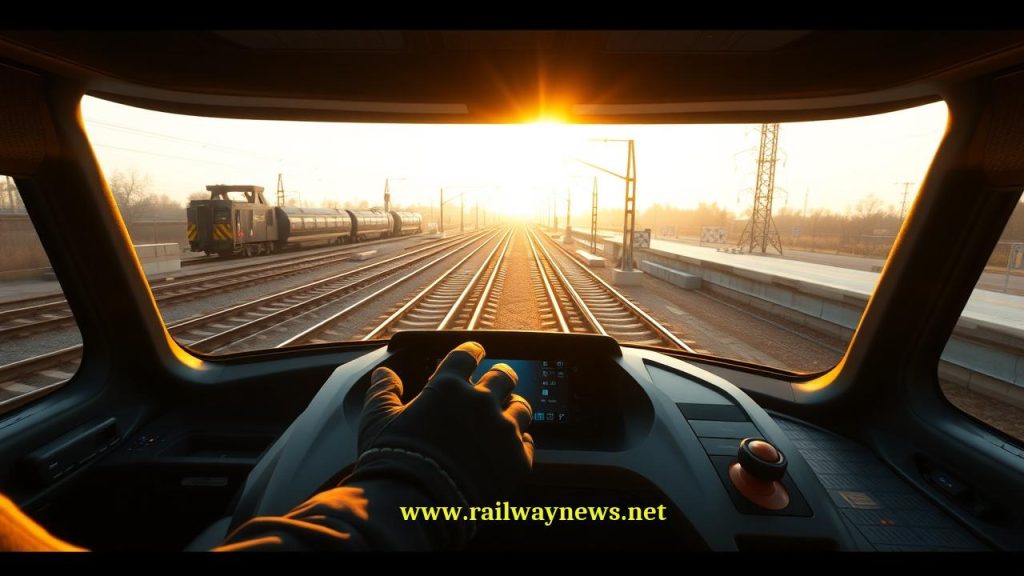
The Driver Machine Interface (DMI) is the touch-screen display panel in the driver’s cab. It serves as the visual link between the human driver and the train’s safety computer (OBU), displaying critical information like speed limits and movement authorities.
⚡ In Brief
- The ETCS Driver Machine Interface (DMI) is the standardised touchscreen display in the driver’s cab that presents all ETCS safety-critical information — actual speed, permitted speed, target speed, distance to restriction, and system mode — as a single integrated display defined by ERA specification ERA/ERTMS/015560.
- DMI standardisation means the layout, colour coding, and information architecture are identical across all ETCS-equipped trains in Europe regardless of manufacturer, enabling a driver trained in Germany to read the same display correctly on a train in France, Spain, or Poland without any retraining on the display itself.
- The ETCS DMI replaced the need for drivers to read multiple lineside signals — distant, home, starter — and mentally construct a picture of the track ahead. The Planning Area on the right side of the DMI provides a direct forward-looking view of upcoming speed restrictions and gradient changes for several kilometres ahead, information that lineside signalling could never provide.
- Colour coding on the DMI speed display follows a defined safety hierarchy: grey/white for normal supervision, yellow for warning (approaching limit), orange for overspeed (intervention imminent), and red/flashing for emergency brake triggered — a visual language that conveys safety status at a glance even under high cognitive load.
- The DMI must present information at speeds up to 500 km/h with update rates sufficient for the driver to perceive and act on changes. At 300 km/h, a 1-second display latency translates to 83 metres of unprocessed information — response time requirements for safety-critical DMI updates are therefore specified in milliseconds.
The cab of a first-generation French TGV contains three separate driver displays for signalling information: a cab signalling unit showing the aspect of the track circuit ahead, a speed indicator showing the permitted speed transmitted by the TVM 430 system, and an analogue speedometer showing actual speed. The driver must simultaneously monitor all three, mentally correlate the information, and decide on a braking action. The displays were designed by different engineers, at different times, using different visual conventions.
The cab of an ETCS Level 2-equipped train contains one screen. Everything the driver needs to make safe driving decisions — actual speed, permitted speed, target speed, distance to the next restriction, track gradient ahead, system mode, radio status, and text messages — is on that one display, arranged according to a specification that has not changed between manufacturers or countries since the ETCS DMI standard was published. A driver who learned ETCS on a German ICE can sit in the cab of a Swiss Re460 locomotive or a Spanish Talgo and read the same display correctly before the first train movement. This is the DMI’s most important contribution to European railway interoperability.
What Is the ETCS DMI?
The Driver Machine Interface is the standardised human-computer interface that connects the driver to the ETCS On-Board Unit. It presents the outputs of the OBU’s safety calculations in a form the driver can perceive and act on, and receives the driver’s inputs (acknowledgements, mode selections, data entries) for transmission to the EVC. The DMI specification (ERA/ERTMS/015560, frequently updated as part of ETCS baseline releases) defines every aspect of the display: screen dimensions, area layout, colour values, font sizes, update rates, touch-sensitive area locations, and the precise content of every message and icon the system may display.
The DMI is not simply a passenger information screen or a general-purpose computer display — it is a safety-relevant component of the OBU system. Its inputs (driver acknowledgements, isolation requests, data entries) are safety-critical in some contexts and must be transmitted to the EVC with appropriate integrity. The display’s failure mode — what it shows if the EVC connection is lost or if the display hardware fails — is specified to ensure a fail-safe outcome: a blank or error display stops the driver from proceeding normally.
DMI Screen Layout: The Seven Areas
The ETCS DMI screen is divided into defined functional areas whose positions are fixed by specification. The layout uses approximately 640×480 pixels (scaled for the physical display size) and is divided as follows:
| Area | Location | Content | Update Rate |
|---|---|---|---|
| A — Speed area | Left half of screen | Circular speed dial; digital speed; permitted speed indicator; target speed needle; supervision colour coding | Every 200–500 ms |
| B — Planning area | Upper right | Vertical distance bar: upcoming speed restriction lines, gradient indicators, end of authority target line, PA mode indication | On state change; at least 1 Hz |
| C — Mode area | Lower right, below planning area | Current ETCS mode symbol (FS, OS, SR, etc.); ETCS level indicator | On mode change |
| D — Status/message area | Lower portion of screen | Text messages from OBU/RBC; acknowledgement prompts; system status icons (radio, NTC) | On message receipt |
| E — Input area | Bottom of screen | Soft buttons for acknowledgement, data entry, and navigation; function key labels | On context change |
| F — Sub-area (speed area supplement) | Within speed area | Distance to target (digital readout below speedometer); additional supervision indicators | Every 200–500 ms |
| G — Announcement area | Above planning area | Level transition announcements; RBC handover notices; specific mode change warnings | On announcement trigger |
Colour Coding: The Safety Language of the Speed Dial
The ETCS DMI’s colour coding system encodes safety status into an immediately readable visual language. The arc of the circular speedometer and the digital speed display change colour to indicate the train’s supervision status:
| Colour | State | Meaning | Driver Action |
|---|---|---|---|
| ■ Grey / White | Normal supervision (CSM) | Train speed below permitted speed; within braking curve with adequate margin | None — continue driving normally |
| ■ Yellow | Overspeed warning (WS) | Train speed approaching the permitted curve; driver should brake but intervention not yet triggered | Apply brakes — warning only, no automatic action yet |
| ■ Orange | Intervention (IS) — service brake | Train has crossed the permitted curve; EVC has commanded service brake application | Brakes being applied automatically; acknowledge and do not attempt to increase speed |
| ■ Red (flashing) | Emergency brake (EB) | Emergency brake commanded; train in TRIP mode | Emergency brake applied; train must stop; acknowledge TRIP and await instructions |
The Planning Area: Looking Ahead
The Planning Area is the DMI’s most innovative feature from a human factors perspective — it provides information that no lineside signal system could ever convey. A lineside signal tells the driver what the track ahead is currently authorised to — one piece of information, at one location. The Planning Area tells the driver what the entire route ahead looks like for the next several kilometres:
- Distance scale: A vertical scale (typically 0–4,000 metres or 0–8,000 metres, selectable) representing the distance ahead from the train’s current position.
- Speed restrictions: Horizontal lines across the distance scale at the positions where speed restrictions begin and end, labelled with the permitted speed value. The driver can see every upcoming restriction and plan their braking curve accordingly.
- Gradient indicators: Arrows showing uphill or downhill gradients ahead, allowing the driver to anticipate the effect of gradient on braking performance and energy consumption.
- End of authority: A yellow marker line across the Planning Area at the distance of the current end of movement authority — the point beyond which the train is not authorised to proceed. As the RBC extends the authority (section ahead clears), this line advances; as the authority shrinks (obstruction ahead), the line retreats.
- Target speed indicators: Small markers showing where the train should be at specific target speeds — an advisory for efficient driving.
The Planning Area transforms the driver’s situational awareness from reactive (I see a yellow signal — I must prepare to stop at the next red) to predictive (I can see that there is a 160 km/h restriction starting in 2,400 metres, followed by a curve speed limit at 3,800 metres, and my current end of authority is at 5,100 metres — I can plan my braking sequence now). For energy-efficient driving, this forward visibility enables coasting decisions that significantly reduce energy consumption.
ETCS Modes on the DMI: What the Mode Symbol Tells the Driver
The Mode Area of the DMI displays a symbol indicating the current ETCS operational mode. The mode symbol tells the driver what level of protection they currently have and what constraints apply:
| Symbol | Mode | What It Means for the Driver |
|---|---|---|
| FS | Full Supervision | Full ATP protection active; normal ETCS operation; drive to the speed shown on DMI |
| OS | On Sight | Possible occupied section ahead; proceed at max 40 km/h; be prepared to stop |
| SR | Staff Responsible | No movement authority; driver responsible; limited speed ceiling enforced |
| SH | Shunting | Low-speed yard/depot movement; reduced ATP supervision |
| UN | Unfitted | Non-ETCS territory; no ETCS supervision; national ATP via STM (if equipped) |
| NL | Non-Leading | This cab is not the driving cab; DMI inactive for this driver position |
| TR | Trip | Emergency brake applied; train must stop completely; driver must acknowledge |
Driver Interaction: Entries, Acknowledgements, and Data Input
The DMI is not only an output device — the driver provides inputs through its touch-sensitive areas and physical function keys. Key driver interactions include:
Train data entry: At the start of each journey, the driver enters or confirms train data through the DMI — train number (ETCS train ID), driver ID, and in some configurations operational parameters such as maximum speed, brake percentage, and load condition. The EVC uses these to calculate braking curves specific to the current train.
Level and mode selections: The driver can initiate ETCS mode transitions through the DMI — requesting to enter Shunting mode for depot movements, acknowledging a mode transition from Full Supervision to On Sight, or requesting isolation in the event of an equipment fault.
Acknowledgements: Many ETCS events require driver acknowledgement — confirmation that the driver has seen and understood a message. Acknowledgements that are time-critical (the train is approaching a restriction that requires the driver to confirm awareness) generate an audible alarm alongside the visual prompt. Failure to acknowledge within the defined time window may trigger a brake application.
RBC text messages: Operational text messages from the control centre (transmitted via GSM-R/FRMCS from the RBC) are displayed in the message area. The driver reads and acknowledges them through the DMI.
Human Factors Engineering: Why DMI Design Matters
The ETCS DMI specification is as much a human factors engineering document as a technical specification. The fundamental challenge is presenting safety-critical information to a driver who may be operating at 300 km/h, in darkness, in a monotonous high-speed environment, after several hours on duty, while also monitoring the track ahead through the cab windows. The display must convey its most important information — is the train exceeding its permitted speed? — in the minimum possible time with minimum cognitive load.
Key human factors principles embedded in the DMI design:
- Priority of information: The speed supervision status — the most safety-critical information — is conveyed through colour (the most rapidly processed visual signal) rather than requiring the driver to read numbers or text. A yellow/orange/red speedometer is perceived as an alarm state within milliseconds, before conscious reading occurs.
- Spatial consistency: Safety-critical information is always in the same position on the screen, enabling the driver’s gaze path to become habitual — the eye goes to the right location without conscious search.
- Acknowledgement confirmation: When a driver presses an acknowledgement, the DMI confirms the acknowledgement visually so the driver knows it was registered — reducing the anxiety of uncertainty about whether the touch was detected.
- Message hierarchy: Safety-critical messages (requiring immediate action) are visually distinguished from operational messages (for information) through formatting, colour, and position.
DMI in Practice: Common Driver Experiences
For a driver operating in ETCS Full Supervision mode, the typical experience is:
The speedometer shows the current speed in white. The permitted speed indicator (a small yellow or white marker on the speed arc) shows the maximum speed for the current section. The Planning Area shows a 200 km/h restriction line appearing at approximately 3,000 metres ahead — the train is currently travelling at 250 km/h and must slow to 200 km/h before that point. The driver begins coasting. As they approach the restriction, the Planning Area’s restriction line rises upward (reducing distance). If the driver’s speed profile is correct, the speedometer remains white throughout. If the approach speed is too high, the speedometer turns yellow — a warning — then orange if braking is not initiated, then the EVC commands a service brake application.
Throughout this process, the driver has not needed to look out of the window for a trackside signal, has not needed to mentally calculate when to brake from the aspect of a distant signal, and has not needed to reference any other instrument. All the required information was on the one screen, in a consistent layout they have trained to use.
Editor’s Analysis
The ETCS DMI is one of the genuinely successful standardisation achievements of the ERTMS programme — a single display specification that works across 26 countries, multiple manufacturers, and multiple train types, presenting safety-critical information in a consistent and effective human factors framework. Drivers trained on ETCS genuinely report that operating on a different country’s ETCS-equipped network feels familiar from the first train movement. The DMI specification has been refined across multiple ETCS baselines — the current Baseline 3 MR1 DMI incorporates lessons from decades of operational experience — and the improvements are evident in the clarity and intuitiveness of the display compared to early ETCS implementations. The challenge for the next DMI generation (Baseline 4 and beyond) is incorporating the data richness that FRMCS connectivity will enable — real-time energy optimisation guidance, predictive maintenance alerts, ATO integration in GoA2 operation — while preserving the simplicity and consistency that makes the current DMI effective. The risk is the aviation problem of glass cockpit overload: adding data richness that improves performance in normal operation but increases cognitive burden during abnormal situations. The human factors engineers defining the next DMI baseline face the same challenge the original ETCS designers faced — maximum information value at minimum cognitive cost, consistent across all operational contexts. Given the success of the current baseline, the framework for achieving that is in place. — Railway News Editorial
Frequently Asked Questions
- Q: Is the ETCS DMI always a touchscreen, or can it have physical buttons?
- The ETCS DMI specification allows both touchscreen and physical button implementations, and both are found in operational service. Early ETCS DMI implementations used physical buttons below the screen, labelled with their current function (the function label displayed on screen changes according to context). Later implementations moved to touchscreen-only designs, which are more flexible (button labels can change with screen content) but require glove-compatible touch sensitivity and may be less reliable in vibration-intensive environments. Some manufacturers use a hybrid approach — a touchscreen supplemented by a small number of fixed physical function keys for the most frequently used actions (acknowledgement, horn). The specification defines the functional requirements for the input interface rather than mandating a specific hardware implementation, so manufacturers have flexibility in hardware design within the functional constraints.
- Q: What happens if the DMI screen fails while the train is operating?
- A DMI failure is a safety-relevant event. The driver can no longer see the ETCS supervision status, mode, or Planning Area information. The EVC detects the loss of DMI communication and enters a mode appropriate to the situation — typically applying a service brake and generating a cab alarm. The driver must follow the defined degraded mode procedure: acknowledge the failure condition, switch to any backup display if provided, and proceed at severely restricted speed (typically 40 km/h or below) under the authority of the infrastructure manager as specified in the route’s operating rules. Many trains carry a second, backup DMI display precisely for this scenario. In ETCS Level 2, the EVC also informs the RBC of the DMI failure; the RBC may need to impose a temporary speed restriction or track clearance requirement while the fault is investigated.
- Q: How does the Planning Area know what speed restrictions are ahead?
- The Planning Area draws on two data sources. Permanent speed restrictions — the design speed limits for curves, crossings, and track sections — are stored in the ETCS onboard database, a static file loaded onto the OBU for each route. Temporary speed restrictions (TSRs) — speed limits imposed by the infrastructure manager for maintenance, track defects, or other operational reasons — are transmitted dynamically via balises or radio from the RBC and displayed in the Planning Area when received. When the driver passes a balise that contains a TSR packet, the Planning Area is immediately updated to show the restriction at the correct distance ahead. This means the Planning Area shows the driver both the fixed geography of the route and the current operational restrictions — a more complete picture of what lies ahead than any lineside signalling system could provide.
- Q: What is the difference between “permitted speed” and “target speed” on the DMI?
- These are two distinct speed references shown on the speed dial, with different meanings and functions. Permitted speed (also called the “maximum speed” or “ceiling speed” in some contexts) is the maximum speed the train is currently allowed to travel — the absolute limit at the train’s current position that the EVC is supervising against. Exceeding the permitted speed triggers the colour transition from white to yellow. Target speed is the recommended speed for efficient and safe driving at the next restriction point — it tells the driver what speed they should be at when they reach the next target (typically a lower speed restriction ahead). Target speed provides guidance for economical driving, allowing the driver to coast toward the target rather than maintaining maximum speed until forced to brake hard. The two values may be different: the permitted speed might be 250 km/h currently, while the target speed is 200 km/h (the restriction ahead that the driver should be planning toward). Efficient ETCS driving involves managing actual speed toward the target speed profile while remaining below the permitted speed throughout.
- Q: Why can’t the DMI simply show a green/yellow/red aspect like a traditional signal?
- Traditional three-aspect signalling (green/yellow/red) communicates only the status of the next signal — it provides no information about the distance to that signal, the speed required at that signal, what lies beyond it, or whether the current speed profile will allow a safe stop. An ETCS DMI operating in Full Supervision mode knows all of those things from the movement authority and track database. Reducing that information to a green/yellow/red display would discard most of the safety and operational value of ETCS. The colour coding on the ETCS speed dial — grey, yellow, orange, red — does encode a “how safe am I right now” status comparable to a signal aspect, but it communicates the driver’s current relationship to the braking curve rather than the status of the next physical signal ahead. A grey speedometer at 200 km/h tells the driver something much more specific than a green signal: it tells them their current speed is within the supervised envelope for their current position and movement authority, accounting for the specific gradient and braking performance of their specific train.
Railway infrastructure, rolling stock and transport technologies specialist focused on global rail industry developments, high-speed rail systems, signaling technologies and freight transportation. Covering railway investments, public transport modernization, rail operations and international mobility projects across Europe, Asia and North America.
RELATED POSTS

September 6, 2026 5:19 am
Hitachi delivered Taiwan's first N700ST high-speed train from Japan in...
September 5, 2026 4:19 pm
CPK launched formal tender talks with four consortia to design...
September 5, 2026 7:14 pm
HS2 Ltd signed renegotiated civils contracts with EKFB and Align...

September 6, 2026 4:12 am
Alstom delivered the first of 100 new G Class trams...
September 6, 2026 1:17 am
Hitachi Toshiba Supreme Consortium confirmed the first of 12 N700ST...
September 6, 2026 6:17 am
Hungary ordered a national ban on most freight trains from...